App links
Fair rotation, no more arguments
End the midnight WhatsApp fight over who skipped the bathroom this week.
WG Putzplan fairly organises recurring chores in a shared flat, so everyone can see who is on duty without the endless debates.
Quick facts
- Pricing
- Free with up to two flatmates, with a one-time Premium purchase for unlimited flatmates and more. No subscription.
- Platforms
- iPhone, iPad
- Best for
- Flatmates in shared student and young-professional flats who want chores split fairly and visibly.
- Availability
- App Store ID 6761078821
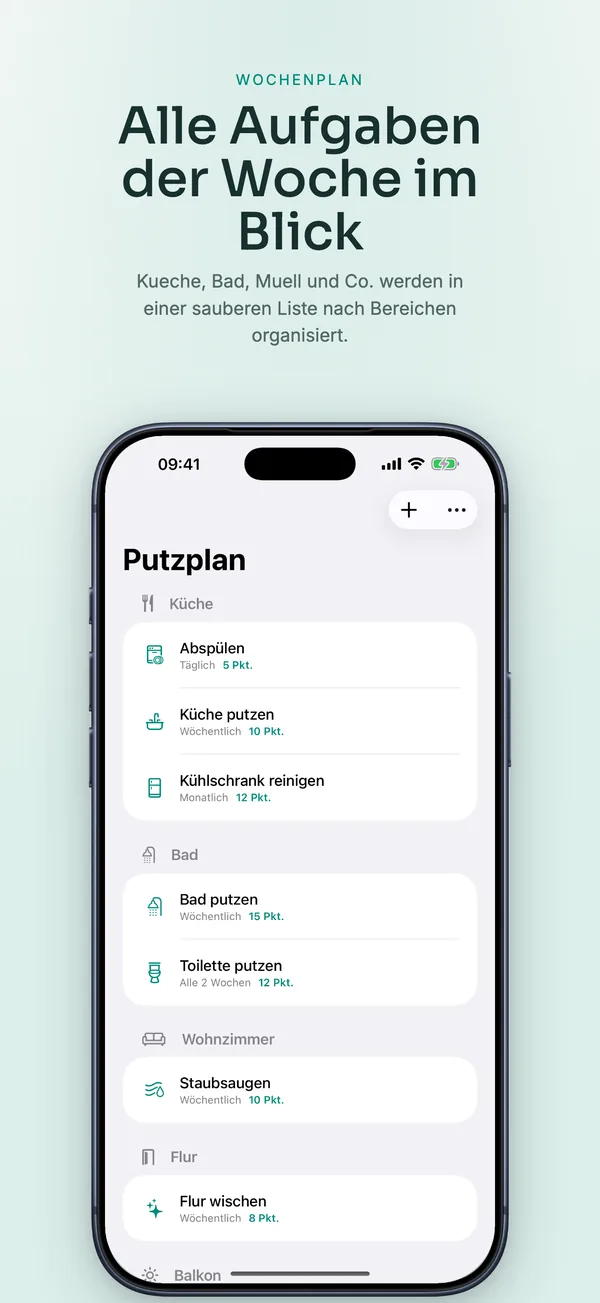
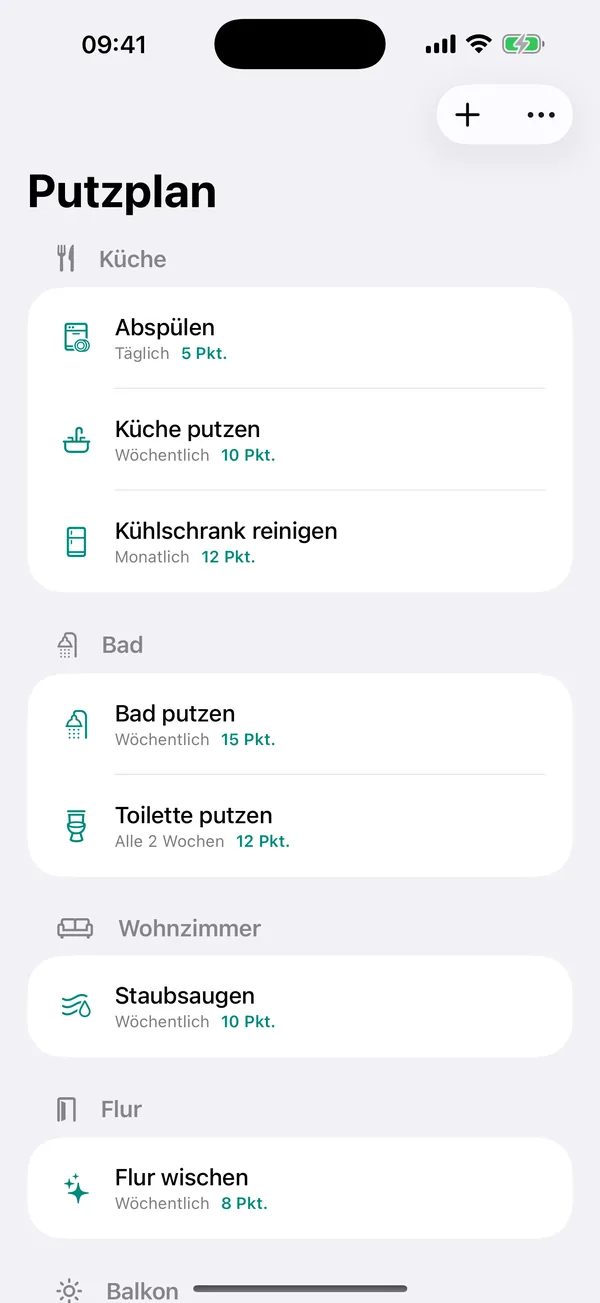
Set up a rotating schedule across kitchen, bathroom, bins, vacuuming, and common areas, tick off what is done, and export the current plan as a PDF for the fridge or the group chat.
Launch kit
WG Putzplan links, release notes, and shipping details
This section keeps the practical launch information in one place so the page can work as a product landing page, support hub, and handoff point for future catalog growth.
Launch details
- Pricing
- Free with up to two flatmates, with a one-time Premium purchase for unlimited flatmates and more. No subscription.
- Platforms
- iPhone, iPad
- Current version
- 1.1
- Last updated
- May 1, 2026
- Category
- Productivity and utility tool
- App Store ID
- 6761078821
Latest release
Custom chores and PDF export
This release adds custom chores, reminders, full participation history, and PDF export of the current schedule, with unlimited flatmates in the one-time Premium upgrade.
What it helps with
What WG Putzplan helps you do
This page is designed to explain the app clearly, show how the workflow fits together, and help the right user decide quickly whether the product is a fit.
Set up a rotating schedule across kitchen, bathroom, bins, vacuuming, and common areas, tick off what is done, and export the current plan as a PDF for the fridge or the group chat.
Key signals
2 Flatmates free
PDF Fridge export
Local No account
1x One-time purchase
- Fair rotation across every recurring chore
- Reminders so nobody can hide behind "I forgot"
- Premium is a one-time purchase, never a subscription
- No account, no server — data stays on your iPhone
Product screens
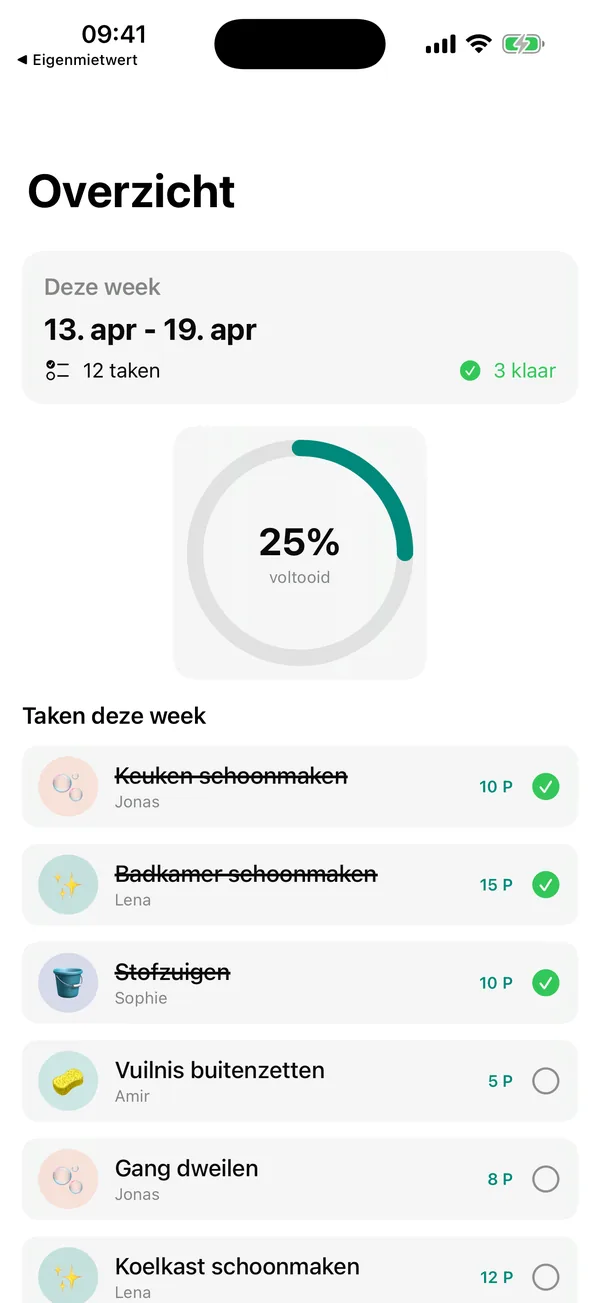
WG Putzplan in use

Step by step
How WG Putzplan fits into the workflow
Add flatmates and chores
Set up your household with up to two flatmates free, plus any custom tasks your flat needs.
Let the rotation run
See immediately who is on duty this week for the kitchen, bathroom, bins, and more.
Tick off and share
Check tasks as done, then export the current plan as a PDF for the fridge or the group chat.
Feature detail
Why teams choose WG Putzplan
Fair by design
A rotation everyone can trust
The whole point is that the split feels fair. The app builds a rotating schedule so the same person is never stuck with the bins forever.
- Rotate kitchen, bathroom, bins, vacuuming, and common areas
- See at a glance who is on duty this week
- Create custom chores like recycling, balcony, or descaling the machine
Accountability
See who actually did their part
A plan only works if people follow it. Reminders and history make participation visible instead of disputed.
- Tick off completed chores week by week
- Turn on reminders so tasks do not get "forgotten"
- Review the full history of who really pitched in
Share and unlock
Print it, share it, scale it
Get the plan out of the app and onto the fridge, then unlock unlimited flatmates when your household grows.
- Export the current schedule as a PDF
- Unlimited flatmates with the one-time Premium purchase
- Ad-free experience and full history with Premium
Recent updates
What has changed recently in WG Putzplan
A lightweight release history helps these app pages act like living product documents instead of frozen launch announcements.
1.1
Custom chores and PDF export
This release adds custom chores, reminders, full participation history, and PDF export of the current schedule, with unlimited flatmates in the one-time Premium upgrade.
Best fit
Who WG Putzplan is built for
Student flatshares
For shared student flats that need chores split fairly without weekly arguments.
Young professional households
For flatmates sharing a kitchen and bathroom who prefer a clear plan to repeated discussions.
Intergenerational and senior shares
For households where the split simply needs to be documented and visible to everyone.
Questions
Questions people ask before downloading WG Putzplan
How many flatmates can I add for free?
You can add up to two flatmates for free. The one-time Premium purchase unlocks unlimited flatmates.
Can I print the schedule?
Yes. You can export the current plan as a PDF to print for the fridge or share in your flat's group chat.
Does it create an account or use a server?
No. There is no user account and no server. All data stays on your iPhone, with optional iCloud backup managed in iOS settings.
Is Premium a subscription?
No. Premium is a single one-time purchase that unlocks unlimited flatmates, reminders, full history, custom tasks, and an ad-free experience.
Beyond the app
Need something more tailored than WG Putzplan?
If you manage co-living spaces, student housing, or any setting that needs fair task rotation across people, I can build a tailored scheduling app around your rules and reporting.
- Custom rotation and scheduling apps
- Reminders, history, and PDF exports
- Multi-household and property-manager views
Bigger workflow
If this app opens up a bigger problem
The app may solve a concrete job immediately. If it exposes a larger operational, web, or content problem behind it, these are the closest practical routes.
Operational systems
If the workflow behind the app reveals manual steps, approval layers, tool sprawl, or operational debt, this is where it becomes a real system.
Web platforms
If this direction points toward a portal, stronger web layer, SEO surface area, or client-facing interface, this is the closest next route.
Related writing
The Difference Between Automation That Helps and Automation That Compounds
Most automation saves time once. System-level automation saves time forever — and gets better the longer it runs. The difference is in the architecture.
Building Internal Tools vs Buying Off the Shelf
Notion, Airtable, and off-the-shelf tools work — until they don't. Custom internal tools work — until nobody maintains them. Here's the decision framework.
Airtable, Monday, Asana — Why the Tool Doesn't Matter
Teams debate tools endlessly. The tool is almost never the problem. The process underneath, the ownership, the behavior—that's what breaks.
Related case studies
Enaviga: Building the Sales Playbook Behind a Charter-Tech Product
A progression from visual asset production into business development, sales structure, market validation, and operational content systems for a boating-tech startup.
Dentelli: Acting as an Embedded Growth Partner During a Premium Clinic's Scale-Up
A multi-year embedded role spanning content, campaigns, events, reporting, and growth execution while a premium dental clinic scaled significantly in Split.
WG Putzplan
Download WG Putzplan, then extend the workflow if your team needs more.
Start with the shipping app when it solves the core job. If you later need approvals, reporting, portals, or a more specialized internal workflow, that can become a custom build.