App links
Built for Australian tradies
Quote jobs. Send invoices. Get paid faster.
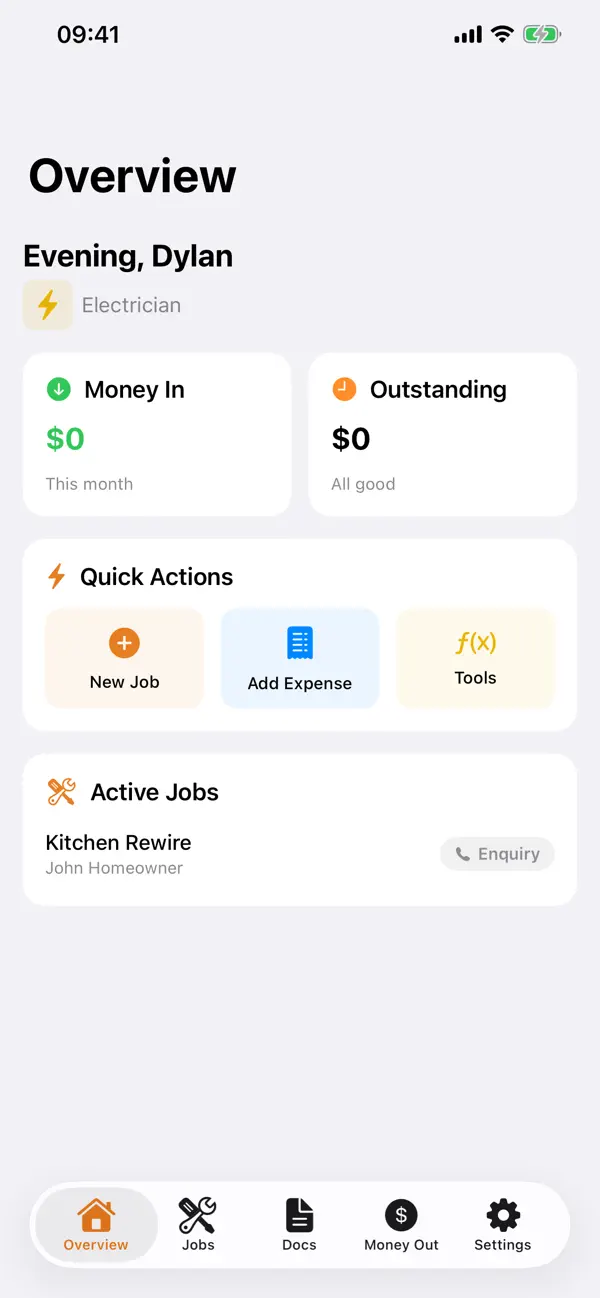
TradieAU helps sole traders and small crews move from site visit to quote to invoice without bloated office software or after-hours admin cleanup.
Quick facts
- Pricing
- Free to start, with Pro upgrades for heavier admin workflows.
- Platforms
- iPhone, iPad
- Best for
- Australian tradies, sole traders, and crews of 1-5 people.
- Availability
- App Store ID 6761717794
A focused iPhone and iPad app for tradies who need practical quoting, invoicing, calculators, and cleaner paperwork while they are still on the move.
Launch kit
TradieAU links, release notes, and shipping details
This section keeps the practical launch information in one place so the page can work as a product landing page, support hub, and handoff point for future catalog growth.
Launch details
- Pricing
- Free to start, with Pro upgrades for heavier admin workflows.
- Platforms
- iPhone, iPad
- Current version
- 1.1
- Last updated
- April 8, 2026
- Category
- Trades Business Tool
- App Store ID
- 6761717794
Latest release
GST reporting, Xero export, and a larger admin toolkit
Version 1.1 adds GST reporting, Xero CSV export for invoices and expenses, BAS summaries, customer management, expense tracking, recurring services, compliance certificates, and a broader admin layer around the quoting workflow.
What it helps with
What TradieAU helps you do
This page is designed to explain the app clearly, show how the workflow fits together, and help the right user decide quickly whether the product is a fit.
A focused iPhone and iPad app for tradies who need practical quoting, invoicing, calculators, and cleaner paperwork while they are still on the move.
Key signals
35+ Trade calculators
1 tap Quote to invoice
Offline Works on site
Xero CSV export ready
- No account required to get started
- Works offline when reception is patchy
- ATO-ready tax invoice PDFs
- iCloud sync across iPhone and iPad
- Built around how Aussie tradies actually work
Product screens
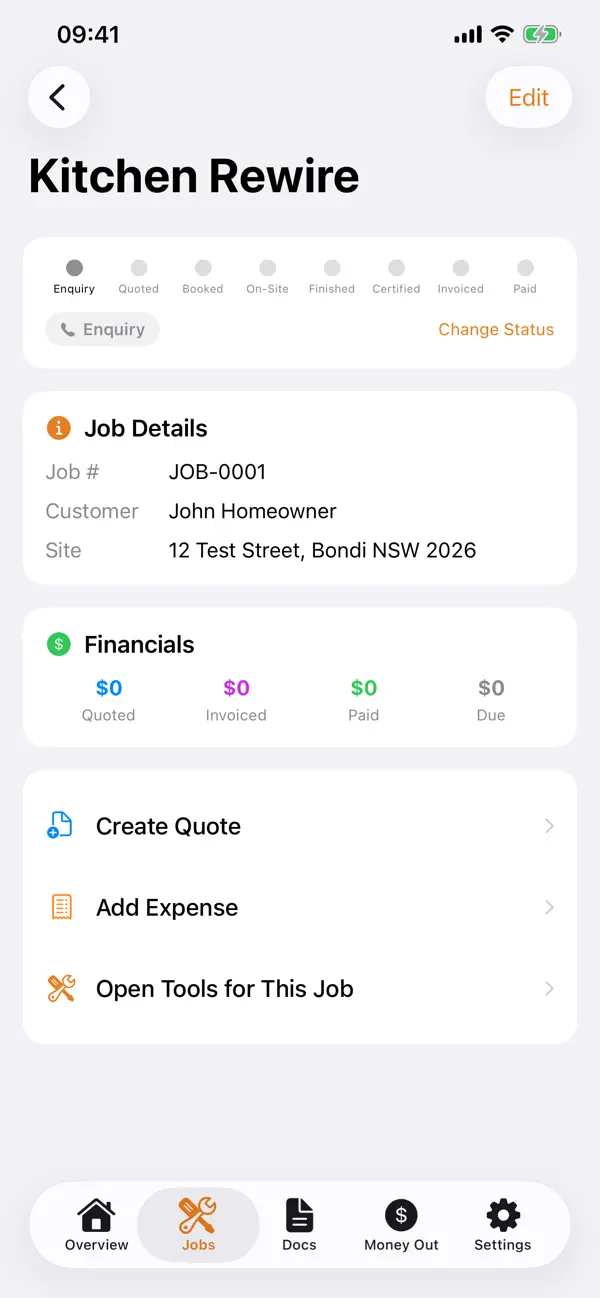
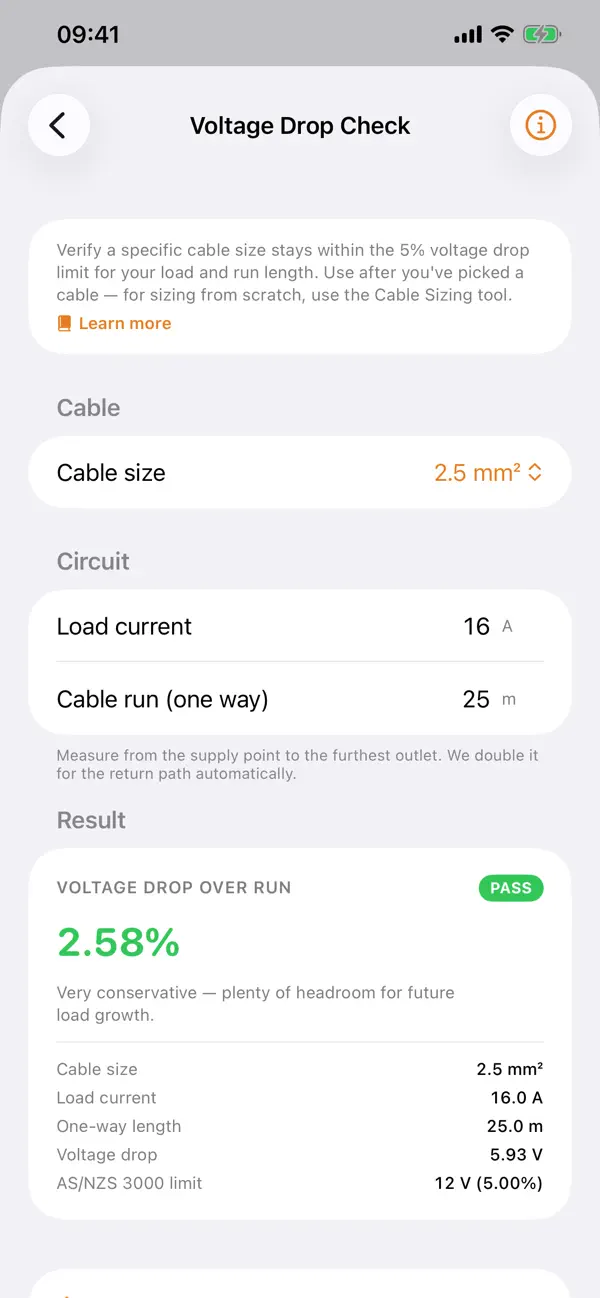
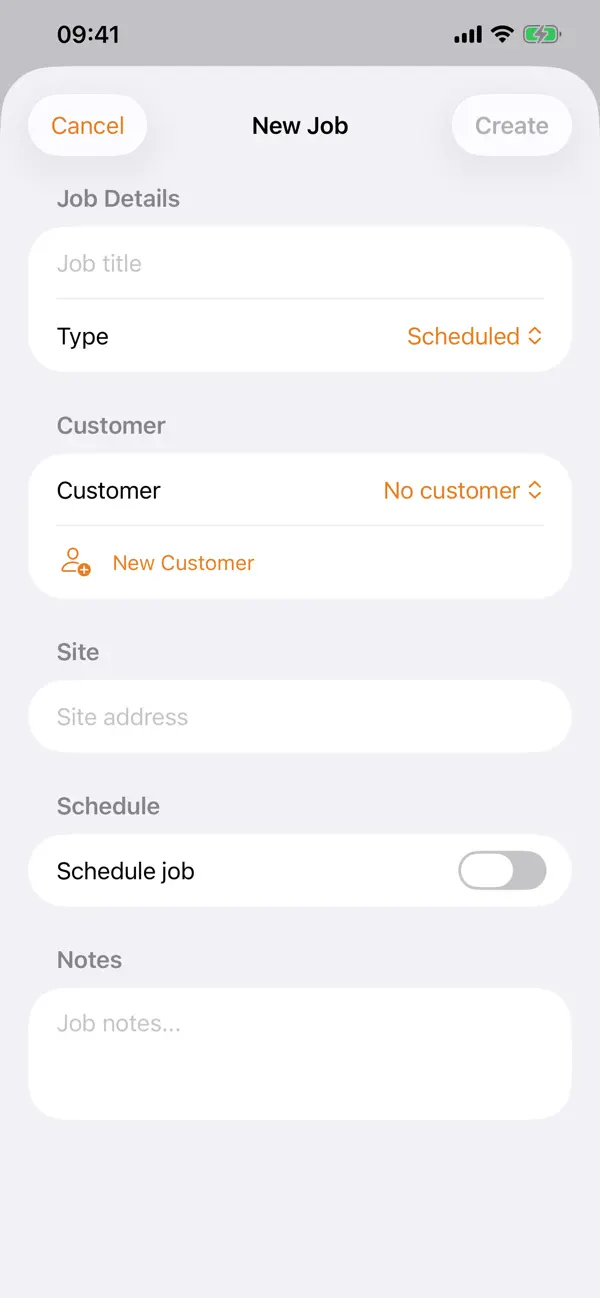
TradieAU in use
Step by step
How TradieAU fits into the workflow
Capture the job while you are still on site
Take the site visit, customer details, and rough numbers straight into one mobile workflow instead of scattering them across notes, messages, and memory.
Turn site numbers into a clean quote
Use built-in calculators and quoting tools to go from estimate to professional-looking paperwork without the spreadsheet cleanup later.
Convert the approved quote into an invoice
When the job is ready, TradieAU keeps the flow moving with a one-tap handoff from quote to invoice.
Share, export, and keep the admin under control
Send clean PDFs, stay organised, and export to your accounting workflow without rebuilding the same information twice.
Feature detail
Why teams choose TradieAU
Field-to-paperwork
Quote faster without dragging the office onto the job site
TradieAU is built for the moment when a tradie has enough information to price the work and wants to keep moving. It reduces the gap between seeing the job and sending something professional back to the customer.
- Create quotes quickly on iPhone or iPad
- Keep customer details in one place
- Share quotes by SMS or iMessage
Built-in calculators
Go from measurements and rules to customer-ready pricing
The calculator layer is what makes TradieAU more than a generic invoice app. It helps tradies turn field calculations into quoting inputs while the job context is still fresh.
- 35+ calculators across electrical, plumbing, carpentry, HVAC, painting, and more
- Useful when quoting from site notes instead of office estimates
- Keeps the quoting workflow practical rather than bloated
Admin, without the drag
Stay organised after the quote is sent
TradieAU keeps the back-half of the workflow tidy too: invoices, expenses, PDFs, and exports are all built around a small business that still wants to look professional.
- Generate ATO-ready tax invoice PDFs
- Track expenses and export CSVs for Xero
- Sync via iCloud and keep working offline when needed
Recent updates
What has changed recently in TradieAU
A lightweight release history helps these app pages act like living product documents instead of frozen launch announcements.
1.1
GST reporting, Xero export, and a larger admin toolkit
Version 1.1 adds GST reporting, Xero CSV export for invoices and expenses, BAS summaries, customer management, expense tracking, recurring services, compliance certificates, and a broader admin layer around the quoting workflow.
1.0
TradieAU launched on the App Store
The initial App Store release shipped the core quoting, invoicing, calculator, iCloud sync, and offline workflow for Australian tradies working on iPhone and iPad.
Best fit
Who TradieAU is built for
Sole traders
For operators who quote, deliver, invoice, and chase payment themselves - and need that workflow to stay light.
Small crews
For teams that need one practical tool to keep jobs, quotes, and customer paperwork from drifting into chaos.
Field-heavy businesses
For work that happens in vans, on properties, or at job sites - not behind a desk all day.
Businesses that want custom later
For teams that can start with an App Store tool now and then extend into a more tailored internal system later.
Questions
Questions people ask before downloading TradieAU
Does TradieAU work offline?
Yes. TradieAU is designed for work on site, even when reception is patchy. Data syncs through iCloud when you are back online.
Is it only for iPhone?
It is available for iPhone and iPad, which makes it useful both on the move and when reviewing jobs on a larger screen.
Can I export to Xero?
Yes. TradieAU supports Xero-compatible CSV export for invoices and expenses in the Pro workflow.
Who is TradieAU best for?
It is best for Australian tradies, sole traders, and smaller crews that want cleaner admin without moving into bloated office software.
Can you build a custom version for my business?
Yes. If your workflow goes beyond the App Store version, I can design a custom app or internal tool around the way your team actually operates.
Beyond the app
Need something more tailored than TradieAU?
Some businesses need more than quoting and invoicing. If your workflow includes approvals, field reporting, compliance, recurring jobs, customer portals, or internal dashboards, I also design custom apps and operational tools around the way your team actually works.
- Custom internal tools for trade and field teams
- Workflow design for quoting, approvals, handoff, and reporting
- A practical bridge between an App Store product and a bespoke system
Bigger workflow
If this app opens up a bigger problem
The app may solve a concrete job immediately. If it exposes a larger operational, web, or content problem behind it, these are the closest practical routes.
Operational systems
If the workflow behind the app reveals manual steps, approval layers, tool sprawl, or operational debt, this is where it becomes a real system.
Web platforms
If this direction points toward a portal, stronger web layer, SEO surface area, or client-facing interface, this is the closest next route.
Related writing
The Difference Between Automation That Helps and Automation That Compounds
Most automation saves time once. System-level automation saves time forever — and gets better the longer it runs. The difference is in the architecture.
Building Internal Tools vs Buying Off the Shelf
Notion, Airtable, and off-the-shelf tools work — until they don't. Custom internal tools work — until nobody maintains them. Here's the decision framework.
How to Migrate a Website Without Losing SEO
Most website migrations lose 30-60% of organic traffic because nobody treats migration as a systems problem. Here's the infrastructure approach.
Related case studies
Dentelli: Acting as an Embedded Growth Partner During a Premium Clinic's Scale-Up
A multi-year embedded role spanning content, campaigns, events, reporting, and growth execution while a premium dental clinic scaled significantly in Split.
Enaviga: Building the Sales Playbook Behind a Charter-Tech Product
A progression from visual asset production into business development, sales structure, market validation, and operational content systems for a boating-tech startup.
TradieAU
Download TradieAU, then extend the workflow if your team needs more.
Start with the shipping app when it solves the core job. If you later need approvals, reporting, portals, or a more specialized internal workflow, that can become a custom build.