App links
Intermittent fasting companion
Track the fast, see the phase, keep the rhythm.
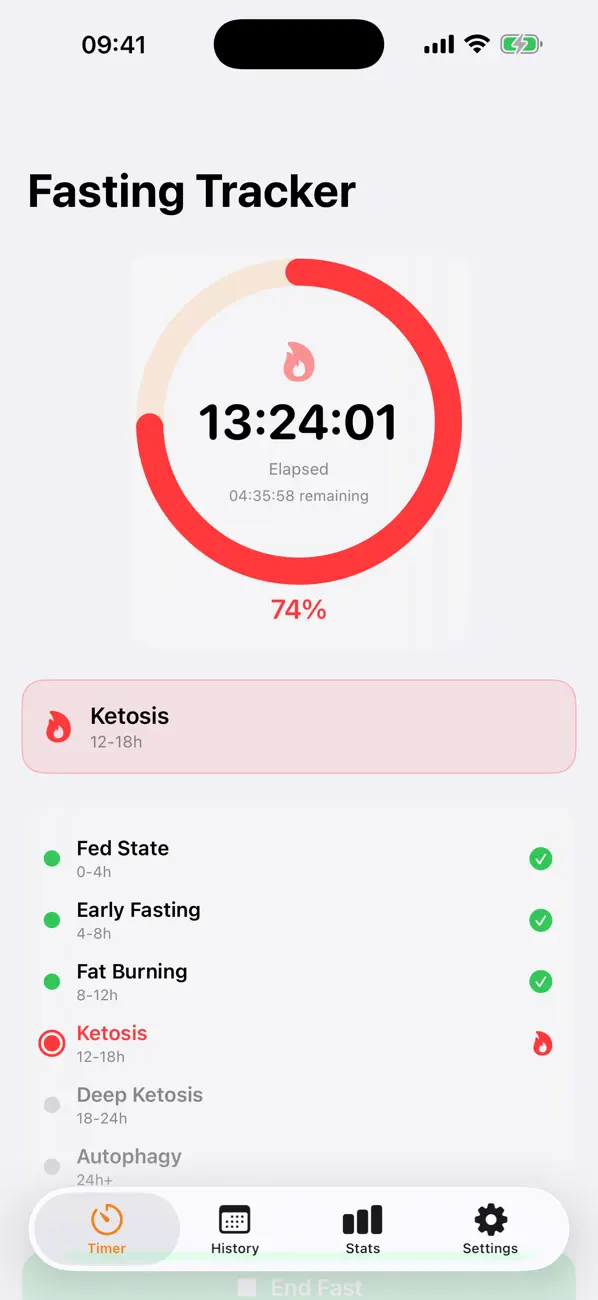
Fasting Tracker Pro keeps intermittent fasting simple with a live timer, milestone view, reminders, and routine presets.
Quick facts
- Pricing
- Free to start, with Premium plans for longer windows, custom schedules, and ad-free use.
- Platforms
- iPhone, iPad
- Best for
- People using intermittent fasting, Ramadan timing, or simple fasting routines.
- Availability
- App Store ID 6761078928
It is built for people who want a calmer fasting workflow instead of mixing timers, notes, and memory.
Launch kit
Fasting Tracker Pro - IF links, release notes, and shipping details
This section keeps the practical launch information in one place so the page can work as a product landing page, support hub, and handoff point for future catalog growth.
Launch details
- Pricing
- Free to start, with Premium plans for longer windows, custom schedules, and ad-free use.
- Platforms
- iPhone, iPad
- Current version
- 1.0.0
- Last updated
- April 13, 2026
- Category
- Wellbeing and habit tool
- App Store ID
- 6761078928
Latest release
Expanded fasting plans and reminder flow
The current App Store build includes live fasting phases, routine presets, streaks, widgets, and premium options for longer or custom schedules.
What it helps with
What Fasting Tracker Pro - IF helps you do
This page is designed to explain the app clearly, show how the workflow fits together, and help the right user decide quickly whether the product is a fit.
It is built for people who want a calmer fasting workflow instead of mixing timers, notes, and memory.
Key signals
16:8 Free fasting mode
OMAD Premium routine
Live Phase timer
Widget Home-screen glance
- Live fasting timer with milestone tracking
- Routine presets from 16:8 to OMAD and custom windows
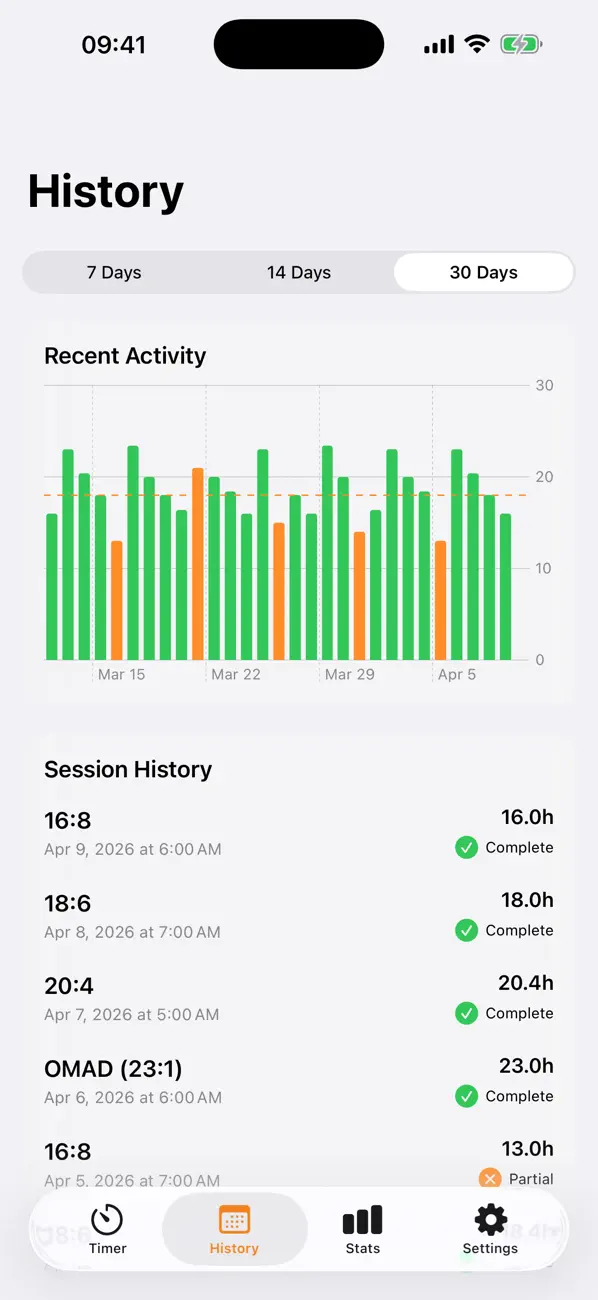
- Reminders and streak logic for consistency
- A planning tool, not medical advice
Product screens
Fasting Tracker Pro - IF in use
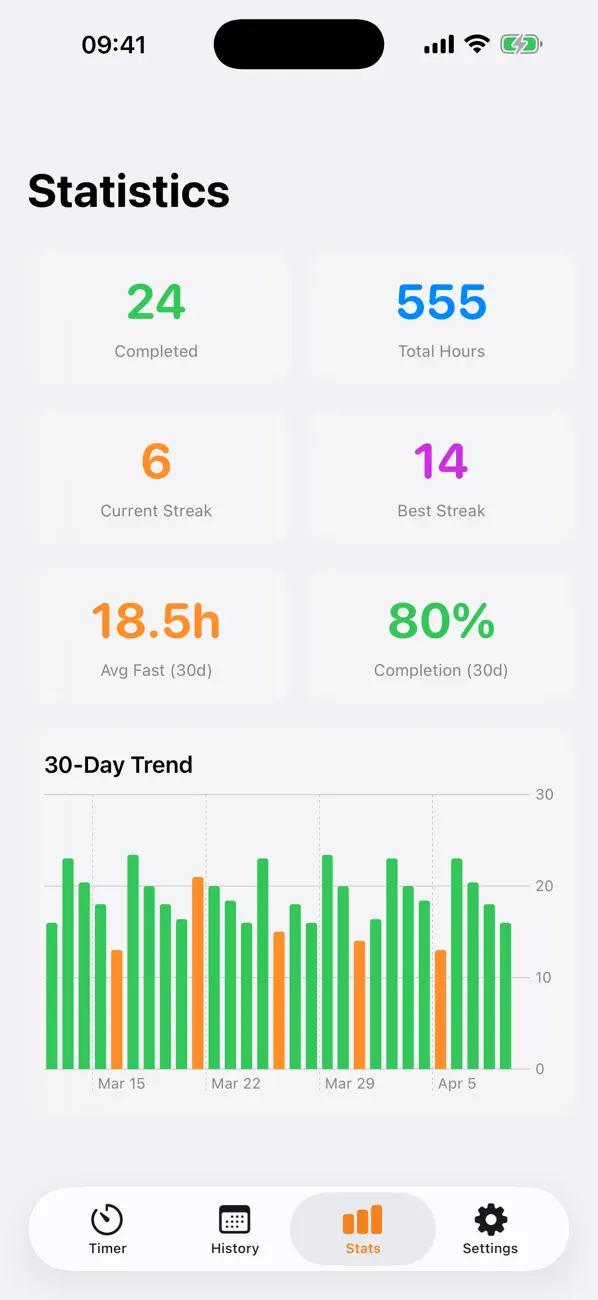
Step by step
How Fasting Tracker Pro - IF fits into the workflow
Choose your fasting routine
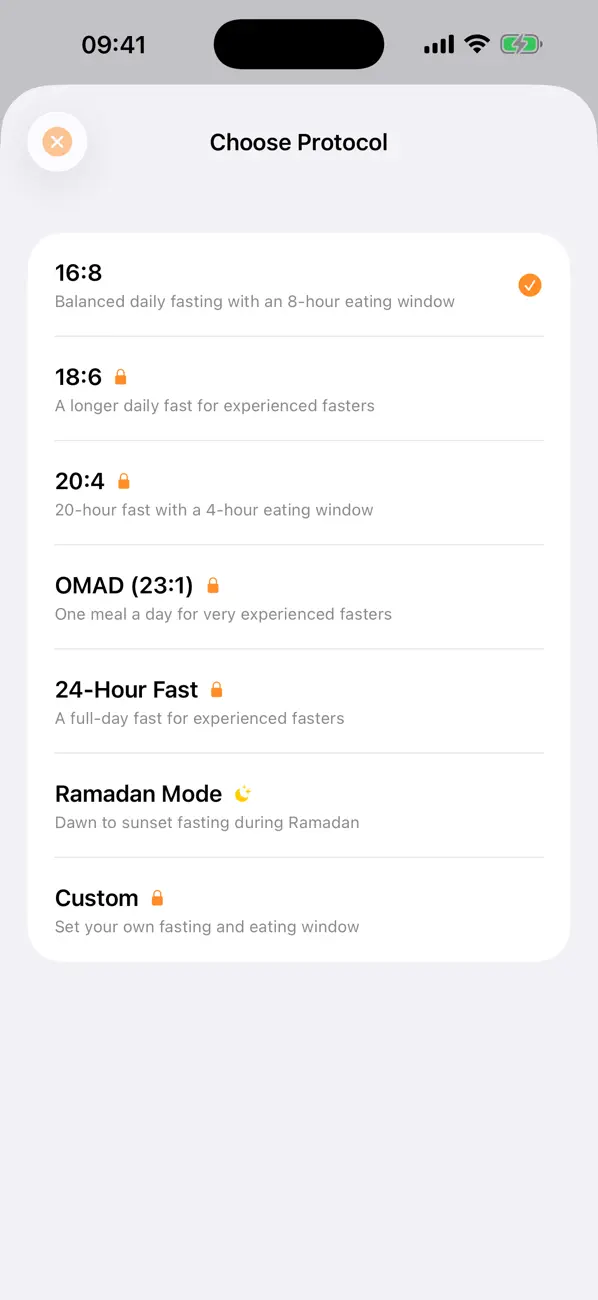
Start with 16:8, Ramadan timing, or move into longer premium windows like 18:6, 20:4, OMAD, or custom schedules.
Track the current phase live
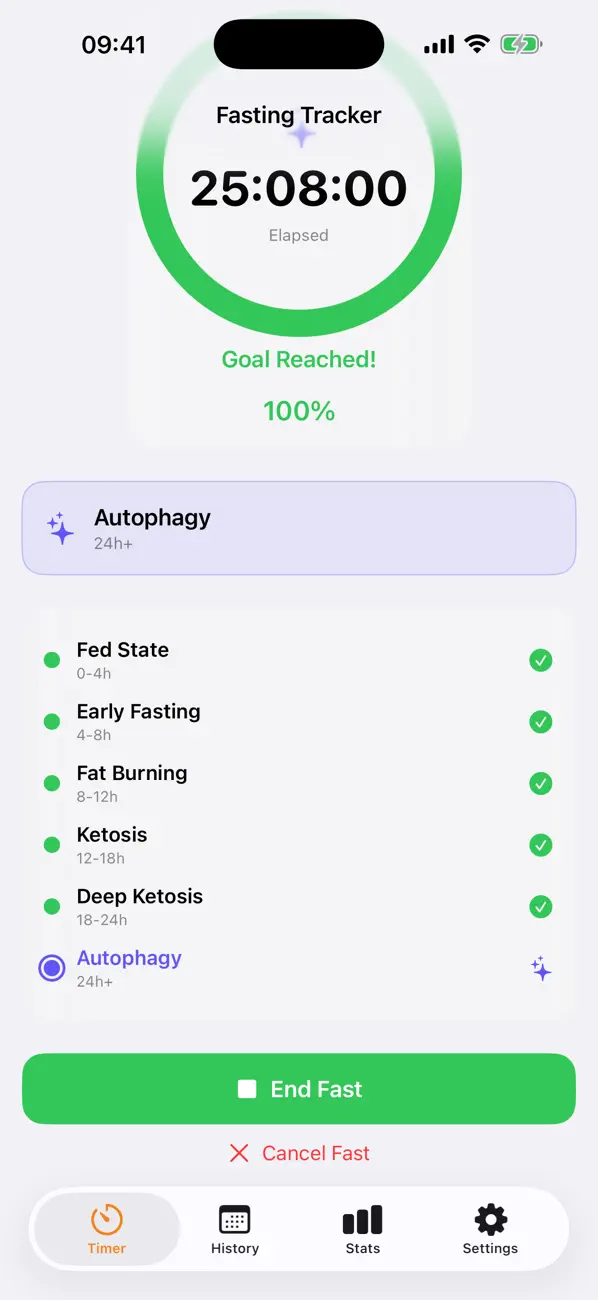
The timer and milestone view show where the fast is right now so you are not guessing how much time is left.
Use reminders and streaks to stay consistent
Notifications and streak tracking make it easier to keep the practice steady.
Feature detail
Why teams choose Fasting Tracker Pro - IF
Live tracking
A fasting timer that shows more than just the clock
The app gives a live timer plus milestone context so the fast is easier to read and easier to follow.
- Live timer with clear progress
- Milestone view during the fast
- Useful from the widget too
Routine control
Move from basic windows to custom fasting schedules
Fasting Tracker Pro starts simple but leaves room for longer windows and custom structures.
- Free 16:8 and Ramadan support
- Premium 18:6, 20:4, OMAD, 24-hour, and custom plans
- A lighter way to run a repeatable habit
Consistency
Reminders and streaks without the usual wellness app noise
The product is shaped around one clear job: keep the rhythm going without turning everything into a giant wellness dashboard.
- Streak tracking for continuity
- Reminder support for the daily rhythm
- A focused companion instead of a bloated suite
Recent updates
What has changed recently in Fasting Tracker Pro - IF
A lightweight release history helps these app pages act like living product documents instead of frozen launch announcements.
1.0.0
Expanded fasting plans and reminder flow
The current App Store build includes live fasting phases, routine presets, streaks, widgets, and premium options for longer or custom schedules.
Best fit
Who Fasting Tracker Pro - IF is built for
Intermittent fasting beginners
For people who want a simple timer and visible structure.
People running consistent routines
For users who want reminders, streaks, and a clearer daily rhythm.
Ramadan and timed fasting users
For people who need fasting windows to stay obvious during a busy day.
Questions
Questions people ask before downloading Fasting Tracker Pro - IF
Is this medical advice?
No. The app is a tracking and planning tool, not medical advice.
Which fasting routines are included?
The free plan includes 16:8 and Ramadan timing. Premium adds 18:6, 20:4, OMAD, 24-hour fasting, and custom schedules.
Does it have reminders and widgets?
Yes. The app includes reminders, streak tracking, and a home-screen widget.
Beyond the app
Need something more tailored than Fasting Tracker Pro - IF?
If you need a more tailored version for a wellness brand, fasting coach, or community, I also build custom mobile tools around that workflow.
- Custom habit and health-tracking apps
- Brand-aligned flows for coaches or programs
- A bridge from public app to tailored product
Bigger workflow
If this app opens up a bigger problem
The app may solve a concrete job immediately. If it exposes a larger operational, web, or content problem behind it, these are the closest practical routes.
Related writing
Airtable, Monday, Asana — Why the Tool Doesn't Matter
Teams debate tools endlessly. The tool is almost never the problem. The process underneath, the ownership, the behavior—that's what breaks.
Why 'My Accountant Handles It' Isn't a System
Accountants handle paperwork. They don't prevent operational non-compliance. That's a system problem.
Why Automating a Broken Process Makes Things Worse
Automation doesn't fix problems — it scales them. If the process is broken, automation multiplies the brokenness faster than anyone can fix it.
Related case studies
Dentelli: Acting as an Embedded Growth Partner During a Premium Clinic's Scale-Up
A multi-year embedded role spanning content, campaigns, events, reporting, and growth execution while a premium dental clinic scaled significantly in Split.
Enaviga: Building the Sales Playbook Behind a Charter-Tech Product
A progression from visual asset production into business development, sales structure, market validation, and operational content systems for a boating-tech startup.
Fasting Tracker Pro - IF
Download Fasting Tracker Pro - IF, then extend the workflow if your team needs more.
Start with the shipping app when it solves the core job. If you later need approvals, reporting, portals, or a more specialized internal workflow, that can become a custom build.