App links
Quick video compression
Shrink the video before it slows everything else down.
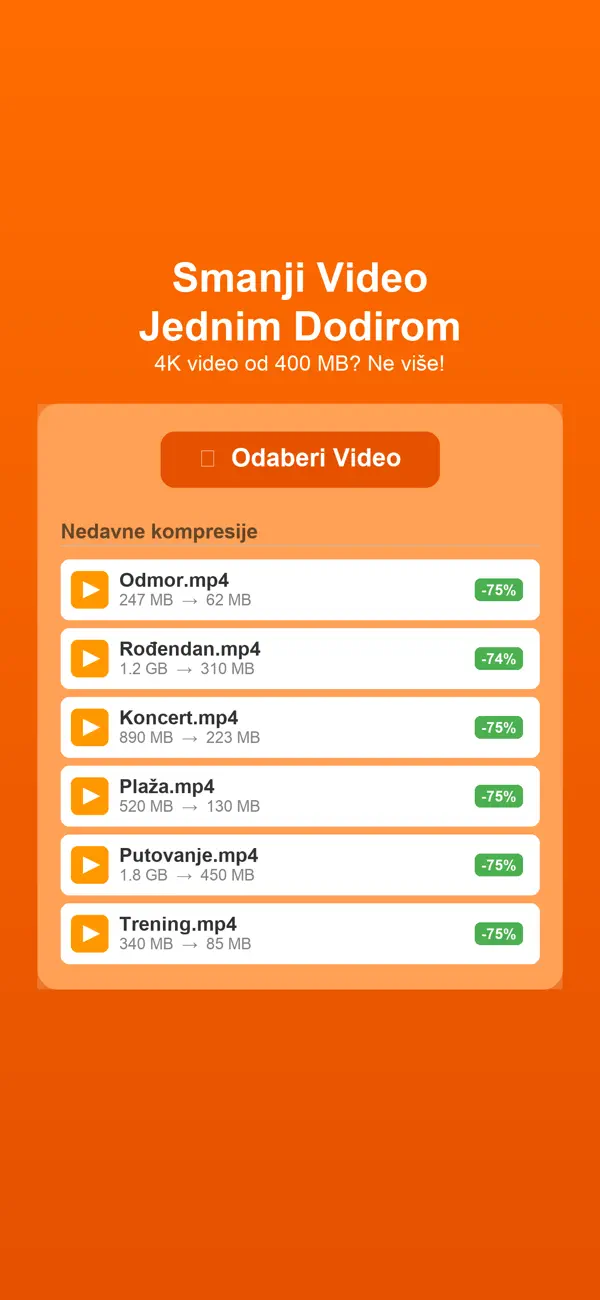
Smanji Video helps users reduce file size quickly so a clip is easier to send, store, or upload without a desktop detour.
Quick facts
- Pricing
- Free to start, with Premium unlocks for higher quality presets, no ads, and no daily limit.
- Platforms
- iPhone, iPad
- Best for
- People compressing videos for sharing, storage, messaging, or quick publishing.
- Availability
- App Store ID 6760230550
It is useful when the main job is not editing, but simply getting a video into a more usable size with less friction.
Launch kit
Smanji Video links, release notes, and shipping details
This section keeps the practical launch information in one place so the page can work as a product landing page, support hub, and handoff point for future catalog growth.
Launch details
- Pricing
- Free to start, with Premium unlocks for higher quality presets, no ads, and no daily limit.
- Platforms
- iPhone, iPad
- Current version
- 1.2.1
- Last updated
- April 14, 2026
- Category
- Media utility
- App Store ID
- 6760230550
Latest release
Compression presets and export flow refined
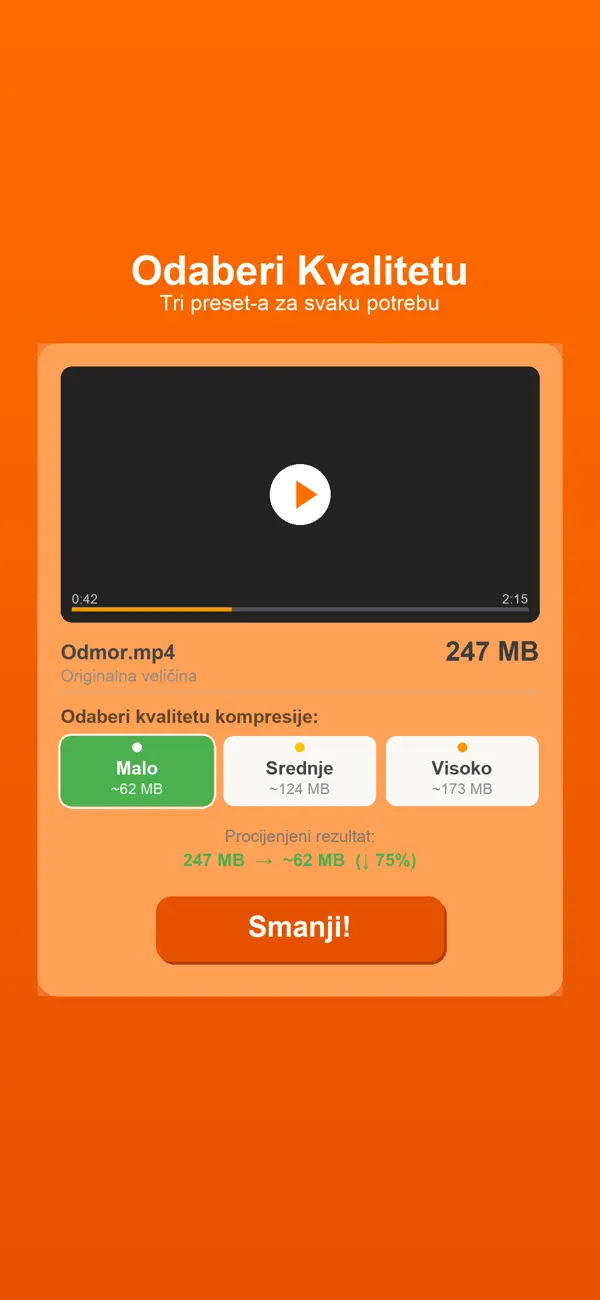
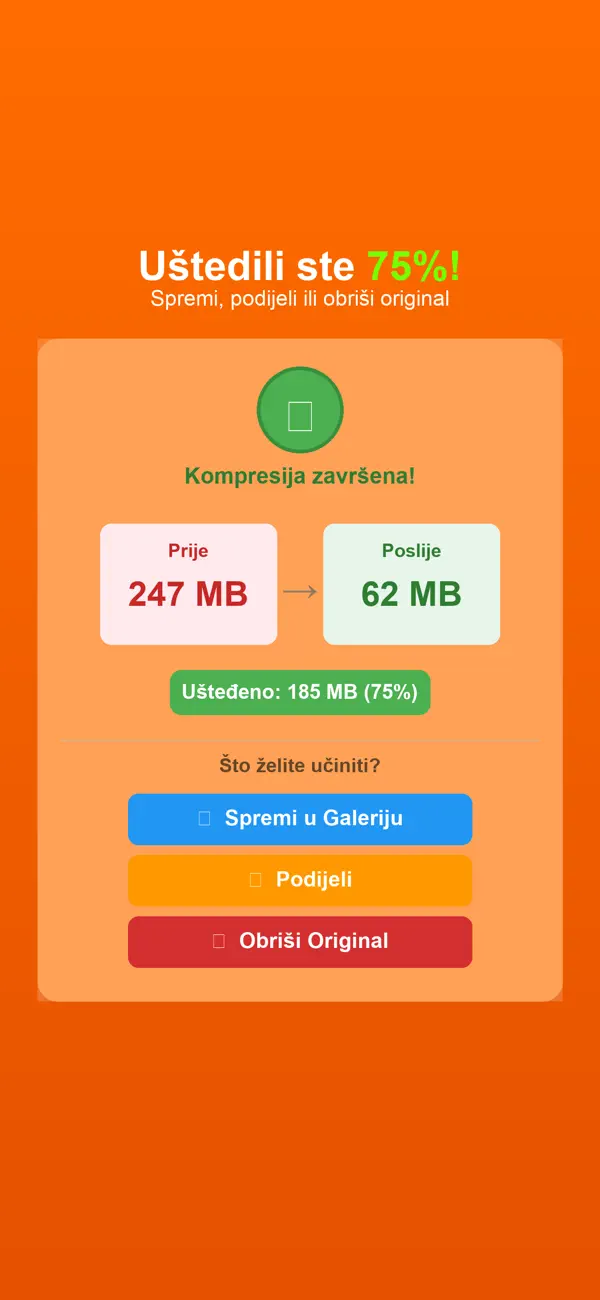
The current build includes three compression presets, size-saving previews, save-back-to-Photos output, direct sharing, and Premium upgrades for higher quality and no daily limit.
What it helps with
What Smanji Video helps you do
This page is designed to explain the app clearly, show how the workflow fits together, and help the right user decide quickly whether the product is a fit.
It is useful when the main job is not editing, but simply getting a video into a more usable size with less friction.
Key signals
3 Compression presets
Preview Space savings
Share Quick output
Premium Higher quality
- Three quick compression presets
- Preview file savings before export
- Save back to Photos or share directly
- Premium removes ads and daily limits
Product screens
Smanji Video in use
Step by step
How Smanji Video fits into the workflow
Pick the video that is too heavy
Start with the clip you need to send, save, or upload faster.
Choose the compression preset
Use a simple preset instead of fiddling with deeper export settings.
Preview savings and export
See how much space you will save, then export back to Photos or share immediately.
Feature detail
Why teams choose Smanji Video
Compression
Quick presets for the most common video problem
Smanji Video solves the practical issue directly: the clip is too large and needs to become usable fast.
- Three compression presets
- Fast result without editing complexity
- Strong fit for everyday sharing
Visibility
See the file savings before you commit
The preview flow helps users understand the tradeoff instead of compressing blindly.
- Size-saving preview
- More confidence before export
- Cleaner than guess-and-check workflows
Output
Save or share the result right away
The value of the app is speed: compress the file, keep the clip usable, and move on.
- Save back to Photos
- Direct share flow
- Premium unlock for higher quality output
Recent updates
What has changed recently in Smanji Video
A lightweight release history helps these app pages act like living product documents instead of frozen launch announcements.
1.2.1
Compression presets and export flow refined
The current build includes three compression presets, size-saving previews, save-back-to-Photos output, direct sharing, and Premium upgrades for higher quality and no daily limit.
Best fit
Who Smanji Video is built for
Everyday phone users
For people who need to send or store smaller videos quickly.
Creators and social users
For users preparing clips for faster upload or handoff.
Teams sharing media in the field
For people who need lighter files before the next operational step.
Questions
Questions people ask before downloading Smanji Video
How many presets does the app have?
The app includes three compression presets.
Can I see the savings before exporting?
Yes. The app previews how much file size you are about to save.
What does Premium unlock?
Premium removes ads and daily limits while unlocking a higher-quality preset.
Beyond the app
Need something more tailored than Smanji Video?
If compression is only one step in a larger content, reporting, or field-media process, I can design a tailored workflow around that pipeline.
- Custom media intake and output tools
- Upload and handoff workflows
- A bridge from utility app to production system
Bigger workflow
If this app opens up a bigger problem
The app may solve a concrete job immediately. If it exposes a larger operational, web, or content problem behind it, these are the closest practical routes.
Operational systems
If the workflow behind the app reveals manual steps, approval layers, tool sprawl, or operational debt, this is where it becomes a real system.
Content Studio
If the product touches hospitality, experience design, presentation, or commercial content, this is where it grows into a content system that supports real operations.
Related writing
The Difference Between Automation That Helps and Automation That Compounds
Most automation saves time once. System-level automation saves time forever — and gets better the longer it runs. The difference is in the architecture.
Building Internal Tools vs Buying Off the Shelf
Notion, Airtable, and off-the-shelf tools work — until they don't. Custom internal tools work — until nobody maintains them. Here's the decision framework.
What Happens After You Buy 'All-in-One' Software
All-in-one tools promise simplicity but deliver consolidated complexity. Everything in one place doesn't mean everything is clear.
Related case studies
Dentelli: Acting as an Embedded Growth Partner During a Premium Clinic's Scale-Up
A multi-year embedded role spanning content, campaigns, events, reporting, and growth execution while a premium dental clinic scaled significantly in Split.
Enaviga: Building the Sales Playbook Behind a Charter-Tech Product
A progression from visual asset production into business development, sales structure, market validation, and operational content systems for a boating-tech startup.
Smanji Video
Download Smanji Video, then extend the workflow if your team needs more.
Start with the shipping app when it solves the core job. If you later need approvals, reporting, portals, or a more specialized internal workflow, that can become a custom build.