App links
Share WiFi without ever spelling the password
Stop reading your password out letter by letter — show a QR code and your guests are online in seconds.
WiFi QR turns your network name and password into a scannable QR code so guests can join in seconds, built for homes, rentals, cafes, salons, reception desks, events and small offices that need a clean guest WiFi handoff.
Quick facts
- Pricing
- Free to download with ads, and two separate one-time purchases: Premium for unlimited saved networks, ad-free Guest Mode and color themes, plus Pro Themes for five gradient styles and a high-contrast inverted QR.
- Platforms
- iPhone, iPad
- Best for
- Hosts and owners of homes, short-term rentals, cafes, salons, reception desks, events and small offices who hand WiFi to guests all day long.
- Availability
- App Store ID 6760225843
Generate codes for WPA/WPA2, WEP and open networks, save the networks you use most, and present them through a full-screen Guest Mode or as printed cards for a room, desk or welcome note.
Launch kit
WiFi QR: Dijeli WiFi Lozinku links, release notes, and shipping details
This section keeps the practical launch information in one place so the page can work as a product landing page, support hub, and handoff point for future catalog growth.
Launch details
- Pricing
- Free to download with ads, and two separate one-time purchases: Premium for unlimited saved networks, ad-free Guest Mode and color themes, plus Pro Themes for five gradient styles and a high-contrast inverted QR.
- Platforms
- iPhone, iPad
- Current version
- 1.1
- Last updated
- May 1, 2026
- Category
- Productivity and utility tool
- App Store ID
- 6760225843
Latest release
Guest Mode and Pro Themes refined
This release polishes the full-screen Guest Mode for visitors, refines the Pro Themes gradient styles and high-contrast inverted QR, and improves saving and printing of codes.
What it helps with
What WiFi QR: Dijeli WiFi Lozinku helps you do
This page is designed to explain the app clearly, show how the workflow fits together, and help the right user decide quickly whether the product is a fit.
Generate codes for WPA/WPA2, WEP and open networks, save the networks you use most, and present them through a full-screen Guest Mode or as printed cards for a room, desk or welcome note.
Key signals
Seconds Guests join by scan
3 Network types supported
On-device Codes made locally
One-time Purchase, no subscription
- QR codes are generated on device — no account required
- Your network name and password are saved only when you choose to save a network
- One-time purchases, never a subscription
- No complicated setup — enter, generate, share
Product screens
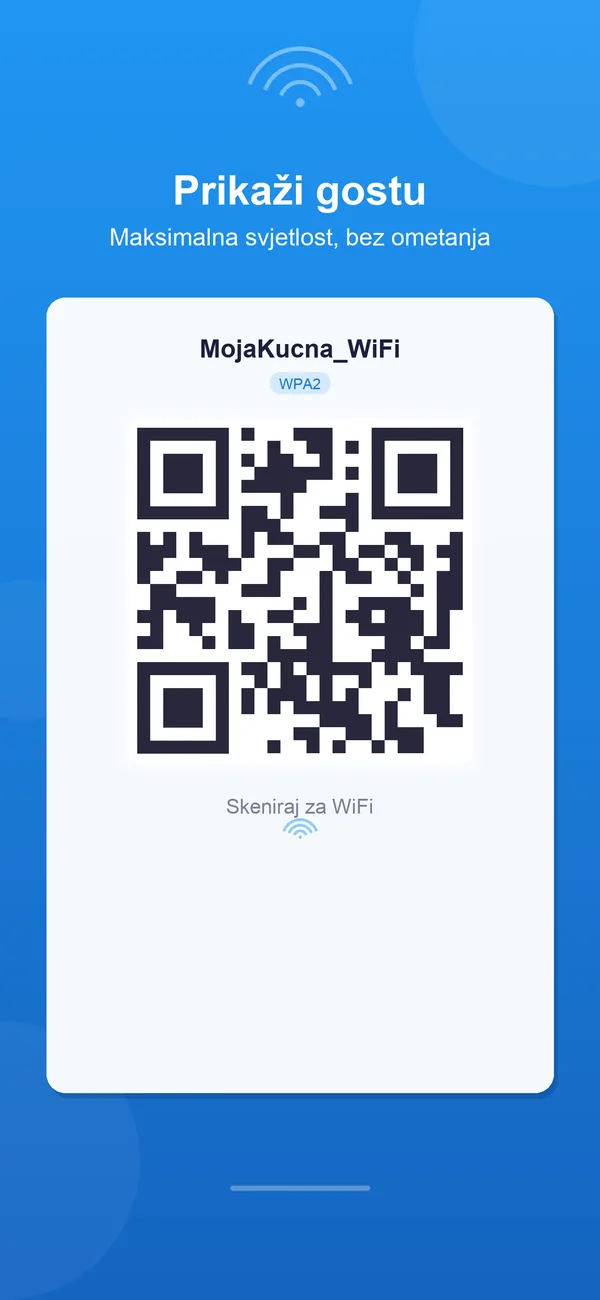
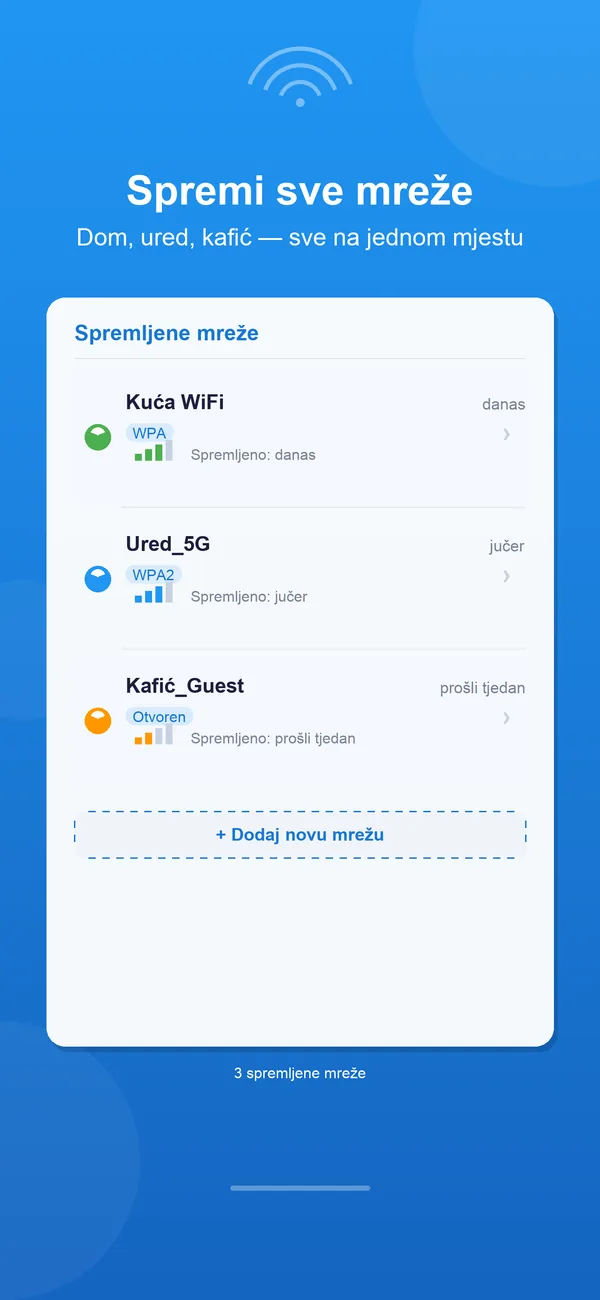
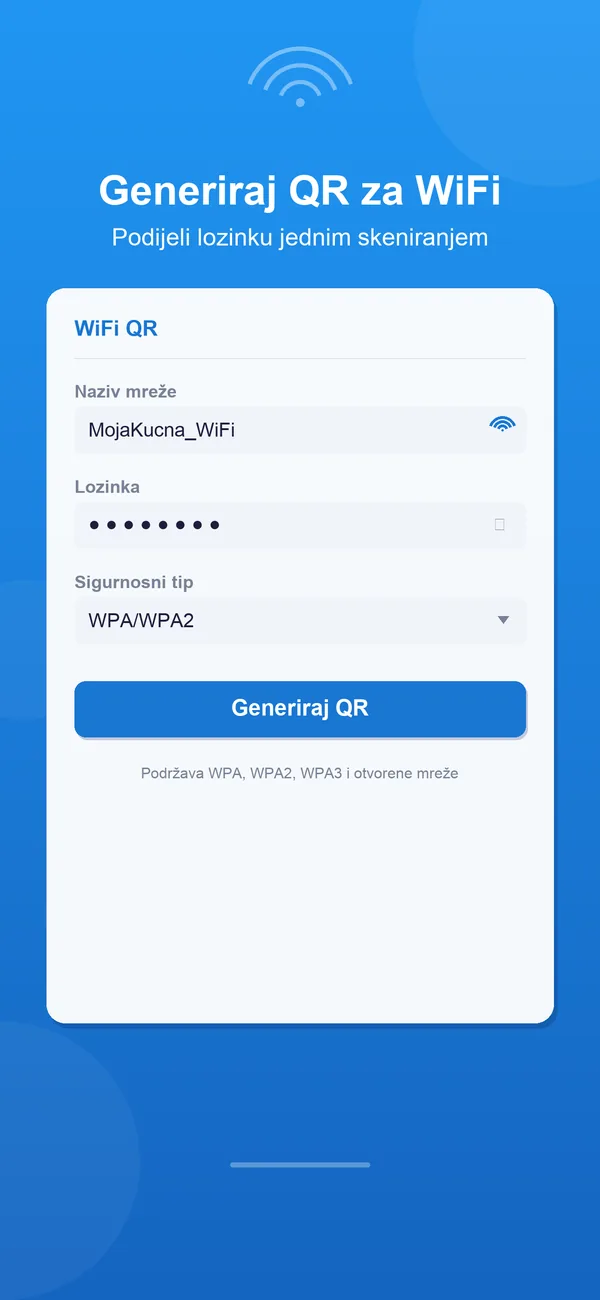
WiFi QR: Dijeli WiFi Lozinku in use
Step by step
How WiFi QR: Dijeli WiFi Lozinku fits into the workflow
Enter your network details
Type the network name and password, then choose WPA/WPA2, WEP or an open network so the code matches your router exactly.
Tap Generate
The app instantly turns your details into a scannable QR code, all on your device with no connection or sign-in needed.
Save, share, print or show it
Save the QR to Photos, send it by Messages or AirDrop, print it for a room or welcome card, or display it full-screen in Guest Mode.
Feature detail
Why teams choose WiFi QR: Dijeli WiFi Lozinku
Built for guests
A clean WiFi handoff for any space
Whether it is a spare room, a rental, a salon chair or a reception desk, WiFi QR gives visitors a tidy way to get online without anyone reading out a password.
- QR codes for WPA/WPA2, WEP and open networks
- Full-screen Guest Mode for a large, easy-to-scan code
- Save QR images to Photos, share by Messages or AirDrop, or print them
Made for daily use
Save the networks you reach for most
Hosts who hand out WiFi every day can keep their networks ready, so the right code is one tap away instead of a fresh setup each time.
- Save important networks for quick reuse
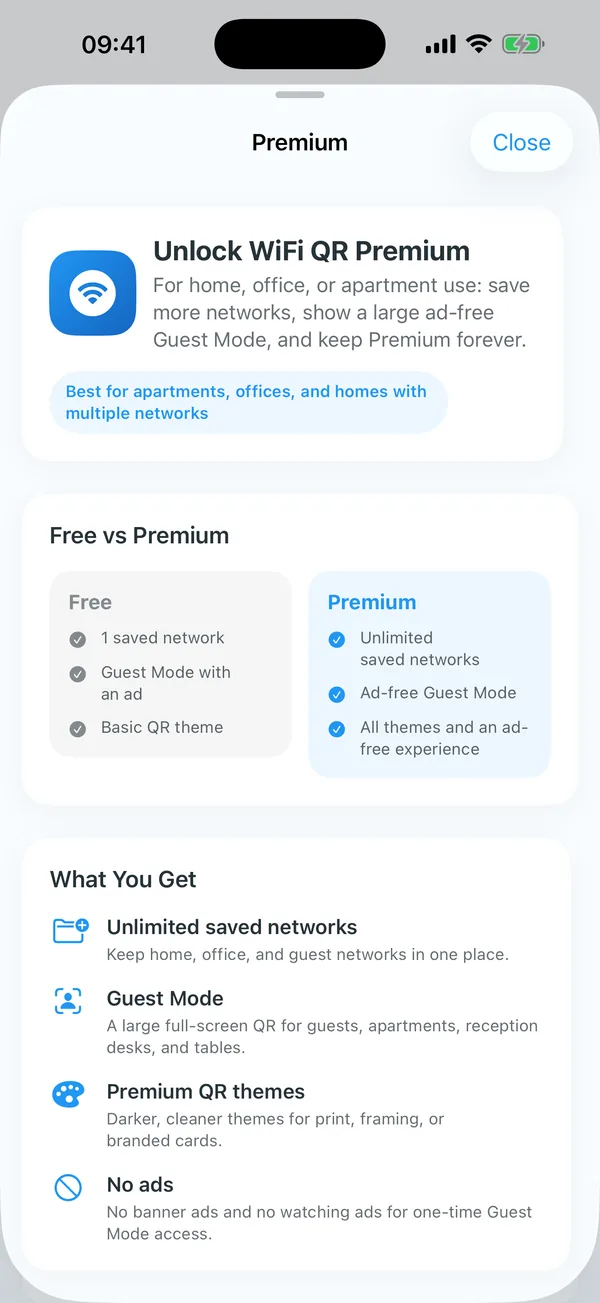
- Unlimited saved networks with Premium
- Ad-free Guest Mode for a distraction-free display
Presentation that looks the part
Themes for cards, desks and branded prints
Pick a look that suits the room, from a simple classic code to gradient styles and a high-contrast version made to scan reliably off printed material.
- Classic, Premium and Pro QR themes
- Pro Themes adds five gradient styles for a cleaner presentation
- High-contrast inverted QR for rentals, reception desks and prints
Recent updates
What has changed recently in WiFi QR: Dijeli WiFi Lozinku
A lightweight release history helps these app pages act like living product documents instead of frozen launch announcements.
1.1
Guest Mode and Pro Themes refined
This release polishes the full-screen Guest Mode for visitors, refines the Pro Themes gradient styles and high-contrast inverted QR, and improves saving and printing of codes.
Best fit
Who WiFi QR: Dijeli WiFi Lozinku is built for
Hosts and rental owners
For homes and short-term rentals where every guest needs the WiFi the moment they arrive.
Cafes, salons and reception desks
For front-of-house staff who hand out the network all day and want a printed code instead of repeating it.
Events and small offices
For organisers and teams who need to get visitors and freelancers online quickly without sharing the password by hand.
Questions
Questions people ask before downloading WiFi QR: Dijeli WiFi Lozinku
Which network types are supported?
WiFi QR generates codes for WPA/WPA2, WEP and open networks, so it works with the vast majority of home and business routers.
Do my network name and password stay private?
Yes. Codes are generated on device with no account, and your network name and password are only saved locally when you choose to save a network.
Is there a subscription?
No. The app is free with ads, and Premium and Pro Themes are separate one-time purchases — there is never a recurring subscription.
What is the difference between Premium and Pro Themes?
Premium unlocks unlimited saved networks, ad-free Guest Mode, color themes and full ad removal, while Pro Themes adds five gradient styles plus a high-contrast inverted QR for prints and reception desks.
Beyond the app
Need something more tailored than WiFi QR: Dijeli WiFi Lozinku?
If you run rentals, a hospitality venue or a multi-room business, I can build a private app or kiosk that hands out WiFi, welcome details and house rules in your own branding — across every location, without anyone spelling out a password.
- Branded guest WiFi and welcome screens for every location
- Kiosk or front-desk display modes for staff and visitors
- On-device or private deployment with no network details leaving your systems
Bigger workflow
If this app opens up a bigger problem
The app may solve a concrete job immediately. If it exposes a larger operational, web, or content problem behind it, these are the closest practical routes.
Operational systems
If the workflow behind the app reveals manual steps, approval layers, tool sprawl, or operational debt, this is where it becomes a real system.
Web platforms
If this direction points toward a portal, stronger web layer, SEO surface area, or client-facing interface, this is the closest next route.
Related writing
The Difference Between Automation That Helps and Automation That Compounds
Most automation saves time once. System-level automation saves time forever — and gets better the longer it runs. The difference is in the architecture.
Building Internal Tools vs Buying Off the Shelf
Notion, Airtable, and off-the-shelf tools work — until they don't. Custom internal tools work — until nobody maintains them. Here's the decision framework.
Airtable, Monday, Asana — Why the Tool Doesn't Matter
Teams debate tools endlessly. The tool is almost never the problem. The process underneath, the ownership, the behavior—that's what breaks.
Related case studies
Enaviga: Building the Sales Playbook Behind a Charter-Tech Product
A progression from visual asset production into business development, sales structure, market validation, and operational content systems for a boating-tech startup.
Dentelli: Acting as an Embedded Growth Partner During a Premium Clinic's Scale-Up
A multi-year embedded role spanning content, campaigns, events, reporting, and growth execution while a premium dental clinic scaled significantly in Split.
WiFi QR: Dijeli WiFi Lozinku
Download WiFi QR: Dijeli WiFi Lozinku, then extend the workflow if your team needs more.
Start with the shipping app when it solves the core job. If you later need approvals, reporting, portals, or a more specialized internal workflow, that can become a custom build.